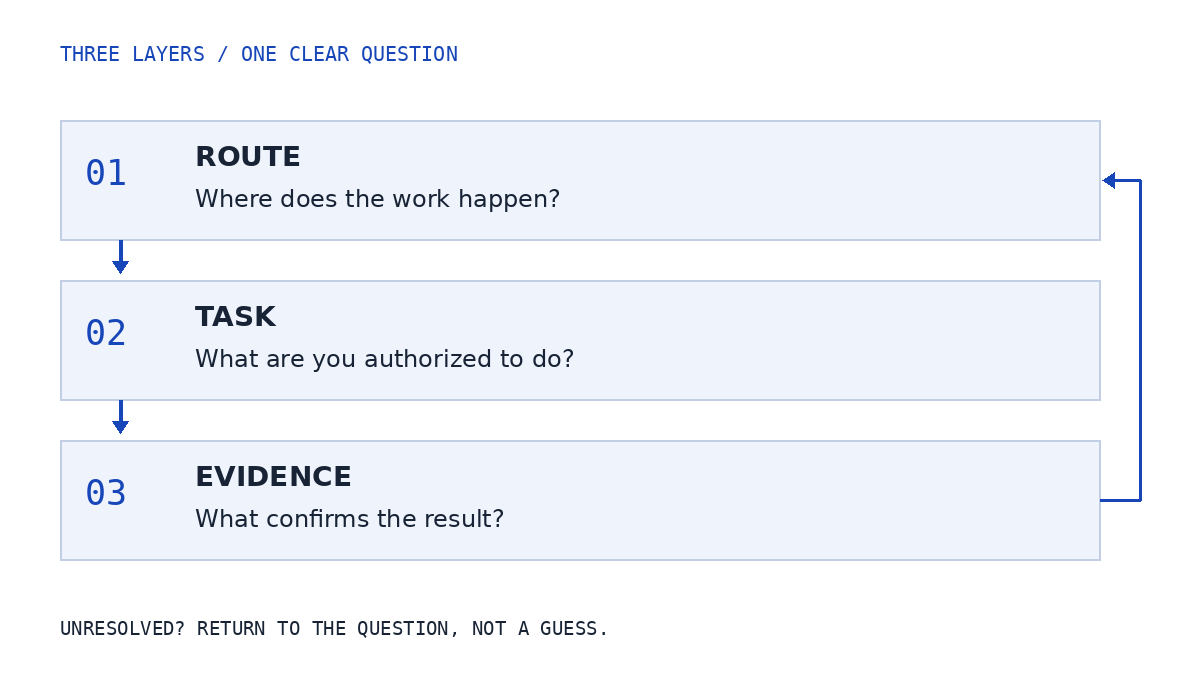
Know the route. Define the task. Protect the boundary. Independent reading for agents and operations teams working across browsers, phones and connected tools.
A working screen is not the same as an authorized action. An action is not the same as verified completion. Keep the layers visible when work changes devices or people.
An editorial reasoning model, not Real’s architecture or a product interface.
LOCAL PRACTICE / SYNTHETIC NOTES ONLY
Is this diagnostic note useful?
Read an invented technical report and identify only the evidence it actually contains. This is a reading exercise, not an account test or security assessment. No private records, credentials or API keys belong here.
This exercise checks your reading of a fictional note, not a real record. Nothing is saved or sent.
Read the complete exercise without JavaScript
Evidence labels: action and observed behavior; device or browser context; timestamp and timezone; verified support route.
Fictional case: a phone app shows a blank camera view. The note names the app and phone context, but gives no timestamp and no verified support route. Present: Action and observed behavior, Device or browser context. Add a timestamp and timezone, then use current official camera guidance and the verified support route. Do not assume the camera permission is the only possible cause.
Fictional case: a note identifies the browser context, the time with timezone and the official support route. It says only that something failed, without identifying the action or visible behavior. Present: Device or browser context, Timestamp and timezone, Verified support route. Describe the intended action, expected result and observed behavior. Do not send an entire client file to explain an unspecified failure.
Fictional case: a safe screenshot establishes the visible error, and the note names the verified support route. The device context and timestamp are absent. Present: Action and observed behavior, Verified support route. Add the device or browser context and timestamp with timezone. A screenshot alone does not establish when or where the behavior occurred.
Fictional case: the note describes an attempted action and visible error, identifies the browser context, records the time with timezone and names the verified official support route. No private client data is included. Present: Action and observed behavior, Device or browser context, Timestamp and timezone, Verified support route. The four diagnostic elements are present. This makes the question clearer, not the account safe, the diagnosis correct or the issue resolved.
Reset or reload clears choices and results. The exercise does not connect to Real, test an account, inspect a client file or create a support request. Read the technical-support report guide for the broader method.